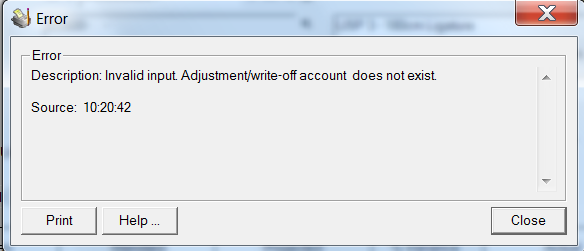
This error message is encountered when trying to post a M/F Transactions. But upon checking in I/C Account Sets all the accounts are defined.
Known Causes:
The problem comes from these possibilities:
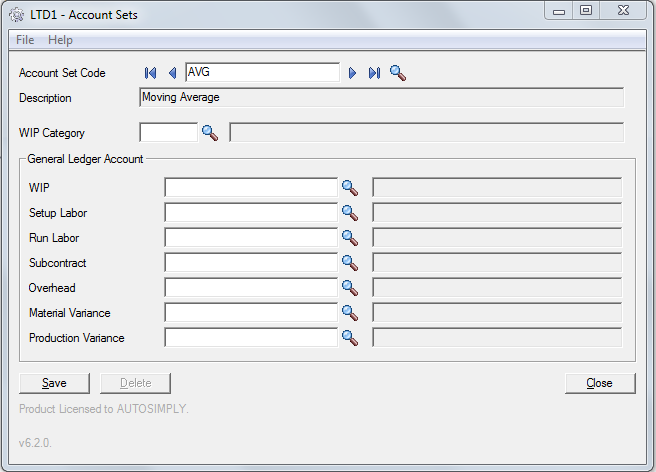
1. M/F Account set is not defined for the MO item. M/F Account Set definition is based on the assigned I/C Account Set per item in I/C Item table.
2. G/L Account might have been active but is currently inactive or was deleted.
Path: Manufacturing/M/F Setup/Account Sets
Known Effects:
There will be no increase in the quantity and cost of items during Receipt and Return transactions where they are both recorded as I/C Adjustments of Sage 300.
How to Resolve:
To know if the account set is defined for a MO item, check the Account Set Code of the item in I/C Account Sets, M/F Account Sets and the defined accounts in G/L Accounts. Do the following checking:
1. Determine the Item No. in M/F MO Entries
2. Go to Inventory Control → I/C Items. Check what is defined in the Account Set Code for that specific item in MO.
3. In M/F Account Sets check if that Account Set Code in I/C Items is maintained or present in this form.
4. Check accounts definition in G/L Accounts. Go to General Ledger → G/L Accounts → Accounts. Change the status to active and click Save button
0 Comments